Shortcuts
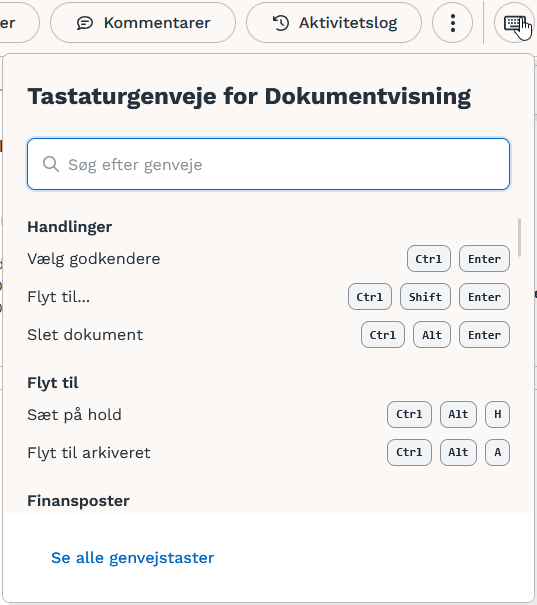
All relevant shortcuts can also be found on the document details page.
General | |
Perform primary action—Always green button |
|
Perform secondary action |
|
Perform tertiary action |
|
Widgets | |
Go to “My Inbox” |
|
Go to “New Documents” |
|
Go to “Under Review” |
|
Go to “Approved” |
|
Go to “Rejected” |
|
Go to “On Hold” |
|
Go to “Export Errors” |
|
Lists | |
Go to the first row in the list |
|
Go to the last row in the list |
|
Document preview |
|
Navigate between rows |
|
Open selected document(s) |
|
Select multiple documents |
|
Select all documents in lists |
|
Export to Excel |
|
Search | |
Advanced search |
|
Document Details
Actions | |
Select Approvers |
|
Move to |
|
Delete document |
|
Navigation | |
Go to the previous or next document |
|
Return to the list of documents |
|
Main fields | |
Go to the previous or next document |
|
Return to the list of documents |
|
Go to the next field |
|
Go to the previous field |
|
Go to main fields |
|
Accounting | |
Create an account line |
|
Go to the next field in the posting line |
|
Go to the first posting line |
|
Navigate through the posting fields |
|
Copy the value above into the current field |
|
Copy the value below into the current field |
|
Document view | |
Zoom in |
|
Zoom out |
|
Expand |
|
Fit to width |
|
Go to the next page of the document |
|
Go to the previous page of the document |
|
Selection mode |
|
Pan mode |
|
Layout | |
Switch between layouts |
|
Make the account assignment compact |
|
Show account assignment |
|
Expand account details |
|
Miscellaneous | |
Create a permanent link to the invoice |
|
View attachments |
|
View comments |
|
View activity log |
|
Download document as PDF |
|
Download e-invoice as XML |
|
Put document on hold |
|
Move document to archive |
|
Move document to exported |
|
Move document to another company |
|
Merge document with another document |
|
Was this helpful?
Still need help? Ask the team